

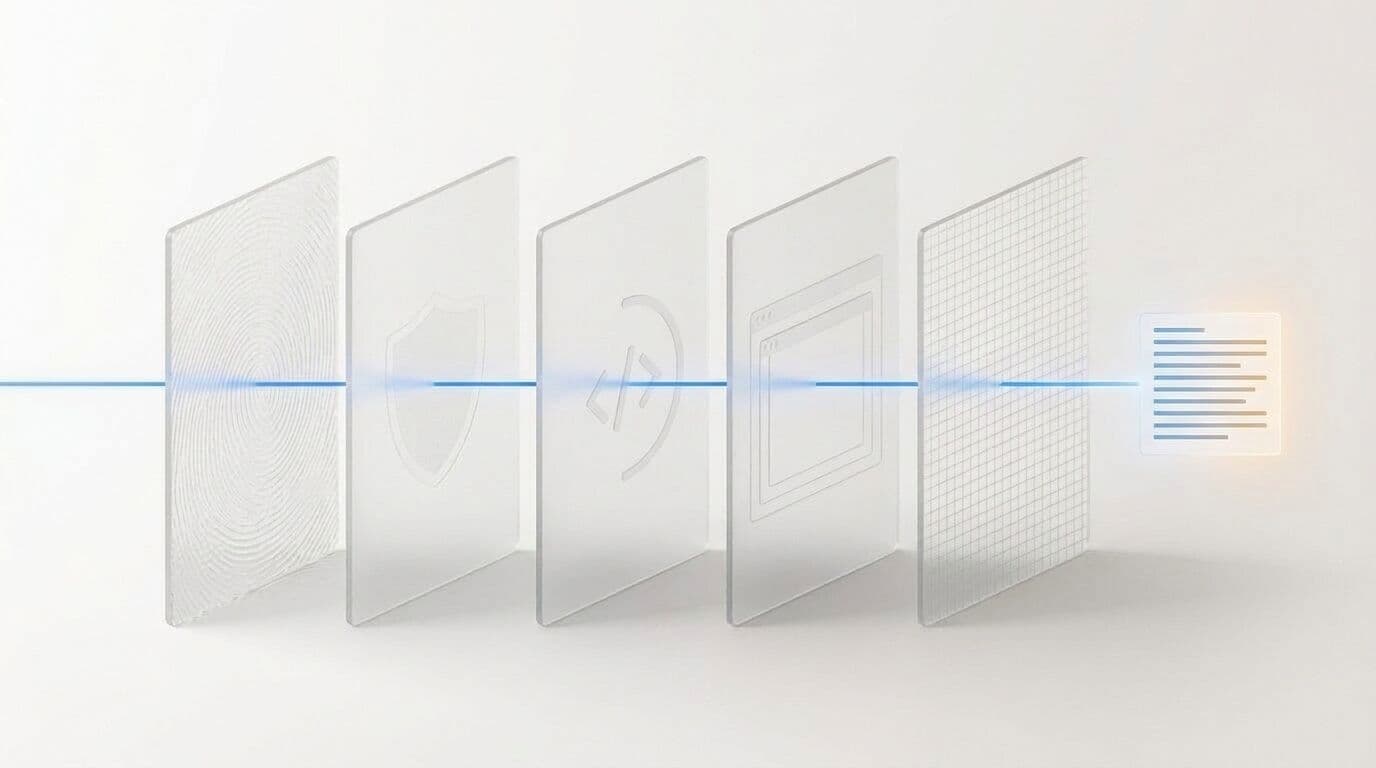
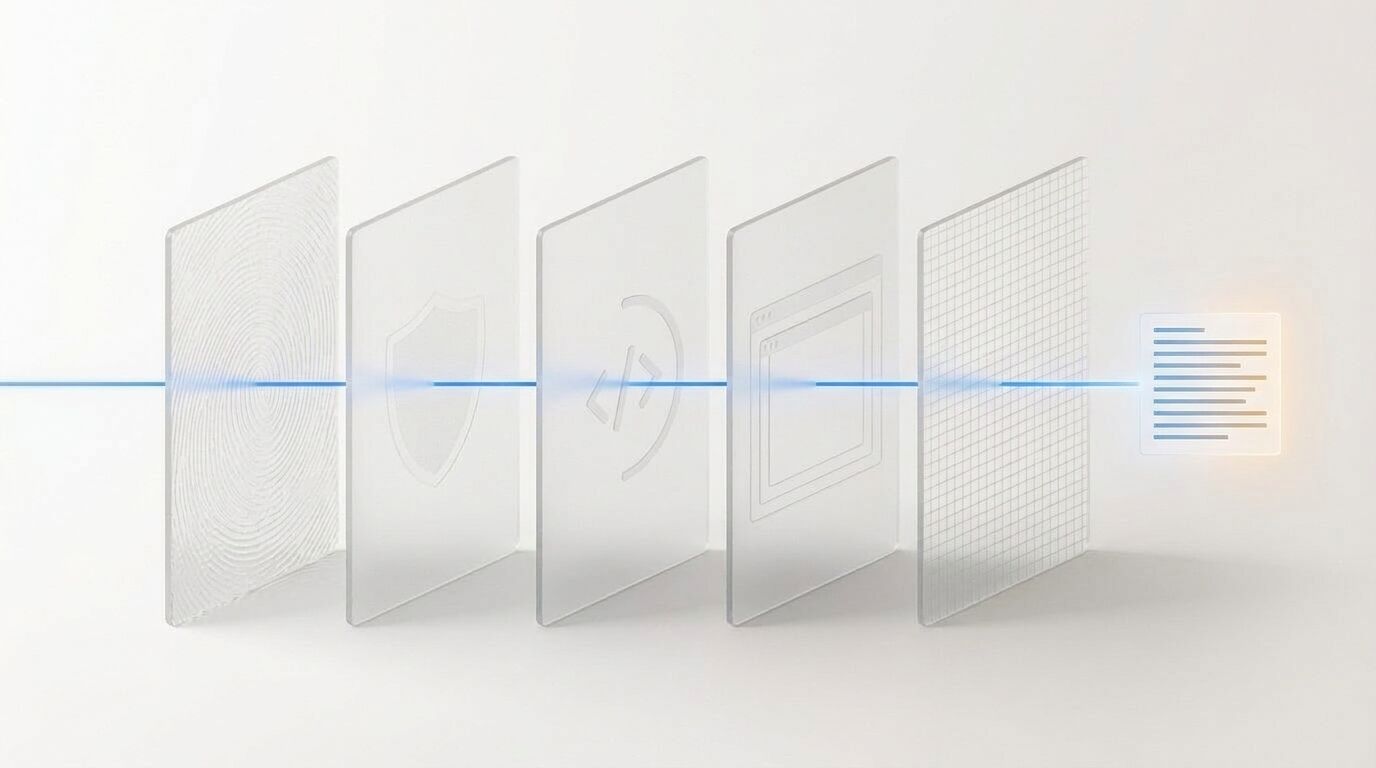
For an agent, reading a web page takes more than turning a URL into text. It needs to reach the actual content, handle dynamic loading, and pass useful information to the model without losing essential details. Lexmount Web Fetch brings these steps together in one API call, while the browser capabilities behind it determine how well the service works on real websites.
The benchmark report below examines those capabilities through Moli’s approach to access, rendering, and extraction. It includes the results, methodology, and reproduction resources from this evaluation, so you can connect your Web Fetch requirements to specific measurements.
Moli Ranks First in Web Fetch with an 89.8% Pass Rate
Reliable access and accurate extraction, even on anti-bot, popular and dynamic websites
We put five browsers through two benchmarks. lexbench-webfetch, built by Lexmount, has 430 cases on live websites and asks whether a browser can get the content back at all. WebMainBench, a public benchmark, has 545 pre-saved pages and asks how accurately the main content is extracted. Moli came first on both, with an 89.8% task pass rate on live websites and an overall extraction score of 39.27. Its biggest lead is on the step that decides whether a web fetch succeeds: getting through to the website.
 URLAccessRenderExtract①Fingerprinting②Bot blocking③JavaScript④iframes⑤Main contentMarkdown ✓
1 | Background: Web Fetch and Moli
When an agent answers a question or does research, it usually starts by looking things up on the web. Give it a URL, and it brings back the page’s main content as Markdown for the model to read. That step is called Web Fetch.
# Attention Is All You Need
## Abstract
The dominant sequence transduction models are based on …
That work happens inside a browser. Most agents today still use Chrome or Chromium. These are browsers built for people: full-featured, but heavy on resources, and their automation traces are easy for websites to spot. Some lightweight browsers save resources by cutting features, and then often miss content on dynamic pages.
Moli[1] is a browser redesigned for agents. It’s a headless browser developed by Lexmount, and instead of modifying Chromium, we wrote a new engine from scratch in Rust. By default it only handles the DOM, and does layout and rendering only when the agent actually needs them. The goal is simple: make fetching and operating web pages faster, more accurate and cheaper for agents.
This article covers Web Fetch only; Browser Automation, where agents click and type their way through pages, is for a later article. Web Fetch sounds like nothing more than “open a page and turn it into text”, but on real websites a fetch has to get past several hurdles, grouped into the three stages in the cover image. First comes access: the browser’s fingerprint and behavior must not give it away to bot protection, or the site won’t serve the real page. Then rendering: JavaScript has to finish running, and content inside iframes has to load. Only then comes extraction: stripping out navigation and ads, and turning the main content into Markdown. Fail any one of them, and the agent doesn’t get the content it was after.
2 | Results overview
The five browsers in the comparison are Moli, Chromium, Lightpanda, Obscura and Kitesurf.
Rankings on the two benchmarks
lexbench-webfetch is ranked by task pass rate, WebMainBench by overall score.

Interestingly, the runner-up isn’t the same browser on both. Chromium comes second on live websites but last on content extraction. Lightpanda is the other way round: second on extraction, only third on live websites. Moli is the only browser that comes first on both.
Why the difference? It comes down to what each benchmark actually measures.
3 | Evaluation method
We used two benchmarks: the public WebMainBench, and lexbench-webfetch, which we built at Lexmount.
3.1 The public benchmark: WebMainBench
WebMainBench[2] is a main-content extraction benchmark released by OpenDataLab. It contains 545 pre-saved web pages, each with human-annotated main content. Every browser processes exactly the same HTML, and the test checks whether the resulting Markdown keeps the main content complete and accurate. Scoring covers five dimensions, and the overall score is their average:
| Dimension | Pages | What it checks |
|---|---|---|
| Full text | 545 | Main content is complete and accurate, with no navigation or ads mixed in |
| Code | 110 | Code blocks are kept intact |
| Formulas | 257 | Math formulas are preserved correctly |
| Table content | 179 | Cell text is correct |
| Table structure | 179 | Rows and columns are fully restored |
Because the input is fixed, the network and bot protection are out of the picture. That makes WebMainBench a good way to compare extraction quality on its own.
3.2 Why we built lexbench-webfetch
For agents, though, extraction quality is only part of the story. Like most public web extraction benchmarks[2], WebMainBench has a few limitations:
Static snapshots only. Pages are saved as HTML in advance, so the test never actually visits a website, and real-world problems such as networking, loading and timeouts never show up.
Incomplete annotations. The reference answers are annotated by hand, and some content inevitably gets missed. A browser that extracts more completely doesn’t necessarily score higher.
No real-website challenges. A snapshot has no bot protection and needs no JavaScript execution or iframe loading. Yet these are exactly the steps where agents most often get stuck in practice.
In other words, these benchmarks answer “is the extracted content accurate?”, but not the question that comes before it: “can you get the content at all?” That’s why we built lexbench-webfetch[3].
3.3 How lexbench-webfetch is designed
lexbench-webfetch tests directly on live websites. It has grown from 150 cases at the start to 430, and every reference answer has been through several rounds of human review. We designed it around three principles:
🌐 Live access
Real websites, not snapshots
⚓ Stable scoring
No trending lists, prices or other fast-changing content
🧗 Complex websites
A focus on anti-bot, dynamic and popular sites
The 430 cases fall into seven categories. Static websites are the baseline. Anti-bot, dynamic and popular websites, with 100 cases each, are the heart of the benchmark. A handful of embedded-document and media cases round it out:
| Category | Cases | What counts as a pass |
|---|---|---|
| Static websites | 100 | Complete main content |
| Dynamic websites | 100 | The JavaScript-generated target content actually appears |
| Popular websites | 100 | Stable main content, with enough items and links |
| Anti-bot websites | 100 | The target page comes back, not a challenge or CAPTCHA page |
| Embedded documents | 10 | The title and body of the PDF or DOCX are fetched |
| Media info | 17 | Valid image and video links are returned |
| Media direct links | 3 | The fetched file matches the original |
The two benchmarks complement each other: one fixes the input and compares extraction only; the other goes to live websites and tests everything from access to extraction.
3.4 Browsers and test rules
To keep the comparison fair, we ran each browser the way that suits it best. Browsers with a native Markdown interface used it directly. Chromium has no such interface, so we took its rendered HTML and converted it with node-html-markdown. Kitesurf is a remote browser service, so we simply called its official API.
| Browser | About | Runs | Called via |
|---|---|---|---|
| Moli[1] | Written in Rust, built for agents | Local | Native Markdown interface |
| Chromium[6] | The open-source core of Chrome | Local | HTML, converted with node-html-markdown |
| Lightpanda[7] | Written in Zig, no graphical rendering | Local | Native Markdown interface |
| Obscura[8] | Written in Rust, built on V8 | Local | Native Markdown interface |
| Kitesurf[9] | Cloudflare’s remote browser | Remote | Official /markdown API |
The interfaces can differ, but the rules can’t. On lexbench-webfetch, all five browsers played by the same rules:
4 | WebMainBench extraction quality
WebMainBench scores by dimension
Green marks the top score in each dimension.

Moli’s overall score is 39.27, 4.27 points ahead of the runner-up, Lightpanda. Its standout is code, where it scores 91.06, 6.35 points ahead of the next browser. It doesn’t top the other four dimensions, but it’s in the top three on every one of them, never more than 3.2 points behind the best.
The other browsers each have a blind spot. Obscura scores close to 0 on both table dimensions, and Chromium manages only 35.86 on code. That matters more than it might seem. Code, formulas and tables are often the most information-dense parts of a page, and losing any one of them can throw off the agent’s reasoning and answers further down the line.
5 | lexbench-webfetch live-website results
5.1 A successful request is not a passed task
Request success rate vs. task pass rate
Hollow dots show request success rate; solid dots show task pass rate.

A successful request only means the site responded; what came back may not be the content. Chromium’s request success rate is as high as 96.7%: it “opened” almost every site. Yet only 54.4% of its results passed the acceptance check. The 42.3-point gap in between is challenge pages, empty page shells and half-loaded content. For Moli, the two numbers are only 6.5 points apart. When a page comes back, the content is almost always right too.
5.2 Pass results by category
How the five browsers did on all 430 cases
Each cell is one case: colored cells passed, light gray ones didn’t. Within each category, passes are shown first.

Static websites are where everyone passes: all five browsers clear at least 90, with little between them. The real gap opens on anti-bot, popular and dynamic websites. Moli passes 88, 91 and 90 cases there, while the best any other browser manages is 37, 58 and 58. Overall, Moli passes 152 more cases than the runner-up, Chromium, and 148 of them come from these three categories, which are exactly the kinds of websites where agents most often fail in practice.
Embedded documents are the opposite: almost no one gets through, and each of the five browsers passed just 1 case. We’ll come back to why later. First, a closer look at anti-bot and dynamic websites.
5.3 Anti-bot websites: bot detection and how Moli handles it
Passes on anti-bot websites (100 cases)
A challenge or CAPTCHA page counts as a failure, even with a 200 status code.

Anti-bot websites run bot-detection systems that check, on several levels, whether a visitor is really a browser. Slip up at any level, and the site returns a challenge or a CAPTCHA instead of the content. These 100 cases come from 74 different sites, and Chromium, the most full-featured browser in the test, passed only 5 of them.
There are five common layers of detection, and Moli has an answer for each:
Moli’s approach is to avoid giving itself away in the first place. As an independent engine, it simply doesn’t carry the automation traces of headless Chromium. Its browser properties are implemented natively in the engine rather than patched in by injected scripts, and it passes 1.61 million Web Platform Tests. On top of that, Lexmount’s engine team has done targeted work on browser fingerprints and access behavior. And on sites that support Web Bot Auth, Moli can openly identify itself as an agent with a verifiable signature.
5.4 Dynamic websites: JavaScript rendering and iframes
On a dynamic website, the main content isn’t in the HTML the server first sends back. It’s generated by JavaScript after the page opens, and sometimes wrapped in an iframe. Think of an iframe as a web page embedded inside another web page: on screen it looks like one page, but in the source it’s two separate documents.
<h1>Product catalog</h1>
<iframe src="list.html"><li>Item 1</li>
<li>Item 2</li> …Generated by JS# Product catalog
(list missing)# Product catalog
- Item 1
- Item 2
- Item 3To see the full content, a browser has to finish running the scripts and then load the document inside the iframe as well. Moli’s engine integrates open-source components such as V8, html5ever, Stylo and libcurl, and runs a page’s JavaScript in full. iframes are Lightpanda’s weak spot: on dynamic pages that rely on them, it often returns only the outer page. It passed 44 of the 100 dynamic cases; Moli passed 90.
5.5 Analysis of unpassed cases
Of the 430 cases, there are still 44 that Moli doesn’t pass. In 16, the request itself failed; in the other 28, content came back but didn’t pass the acceptance check.
The 44 cases Moli doesn’t pass
Parentheses show the total number of cases in each category.
Anti-bot websites account for the most, with 12 still failing. Bot protection is an ongoing contest. Moli already handles most fingerprint and behavior checks, and the engine team keeps improving it.
The nine embedded-document failures are a different story. They come from a trade-off we made on purpose.
PDF and DOCX files embedded in pages aren’t HTML. They’re separate document formats, and reading their titles and body text takes a dedicated document parser. Headless browsers generally don’t ship with one, which is why each of the five browsers passed only 1 of these 10 cases. Moli doesn’t include one either. That’s not because it can’t, but because we want the engine to stay lean and focused on the web itself. When an agent really needs to read a document, handing the file to a dedicated parsing tool works better.
6 | Resource cost
Median resource cost per task: Moli vs. Chrome
Data from the 557 tasks in Lexbench-Headless-Browser[5], not from the Web Fetch experiments in this article.

On the same tasks, Moli’s median CPU time is about 1/7 of Chrome’s, and its peak memory about 1/7.6. For agents that fetch pages at scale, that means more browser instances running on the same machine.
That said, Moli isn’t the lightest browser around yet. Lighter options usually get there by giving up some rendering capability. Our choice is to make sure content comes back complete and accurate first, and keep bringing the cost down from there.
7 | Summary and outlook

Web Fetch SOTA
Larger scale, fewer failures
Browser Automation
Web Fetch SOTA
Larger scale, fewer failures
Browser Automation
Looking back: across five browsers and two benchmarks, Moli ranks first on both live-website fetching and content extraction, at roughly one-seventh of Chrome’s resource cost.
We’ve tried hard to keep this comparison objective. Every browser was called in the way that suits it best, every result went through several rounds of review, and no browser got special treatment. The evaluation code and cases are open source, so if you spot a problem with the setup or the scoring, please let us know.
Next, we’ll grow live-page testing from about 1,000 pages today to 10,000 and then 100,000, and work through the failing cases one by one, so that Moli becomes the best choice for agents fetching the web in production.
Of course, fetching a page is only the first step. Agents also need to click, type and submit to actually get things done. In an upcoming article, we’ll show how Moli achieves state-of-the-art results on more complex Browser Automation tasks.
Appendix | Open source and reproduction
Every result in this article can be reproduced with Browser Eval[4]. It drives all five browsers through one harness, runs both benchmarks, handles scoring and review, and generates a per-case report.
Because the tests hit live websites, results for a few sites may vary slightly between runs.
References
- Moli: Lexmount’s open-source browser for agents.
- WebMainBench: OpenDataLab’s benchmark for extracting the main content of web pages.
- lexbench-webfetch: Lexmount’s open-source Web Fetch benchmark on live websites.
- Browser Eval: Lexmount’s open-source browser evaluation framework.
- Lexbench-Headless-Browser: Lexmount’s headless-browser benchmark and the source of the cost data.
- Chromium, plus Playwright and node-html-markdown.
- Lightpanda: a headless browser written in Zig.
- Obscura: a headless browser written in Rust.
- Kitesurf: Cloudflare’s remote browser service.